Skip to content
IMH

Best Picks

The Best Home Decorating Apps, Judged by What They Actually Do

Ten apps that earn their place on a real project - which job each one does, what the free tier really gives you, and where every single one of them lies to you.

By Catherine Vizcaino · Home-renovation pro & founder

Updated November 2026

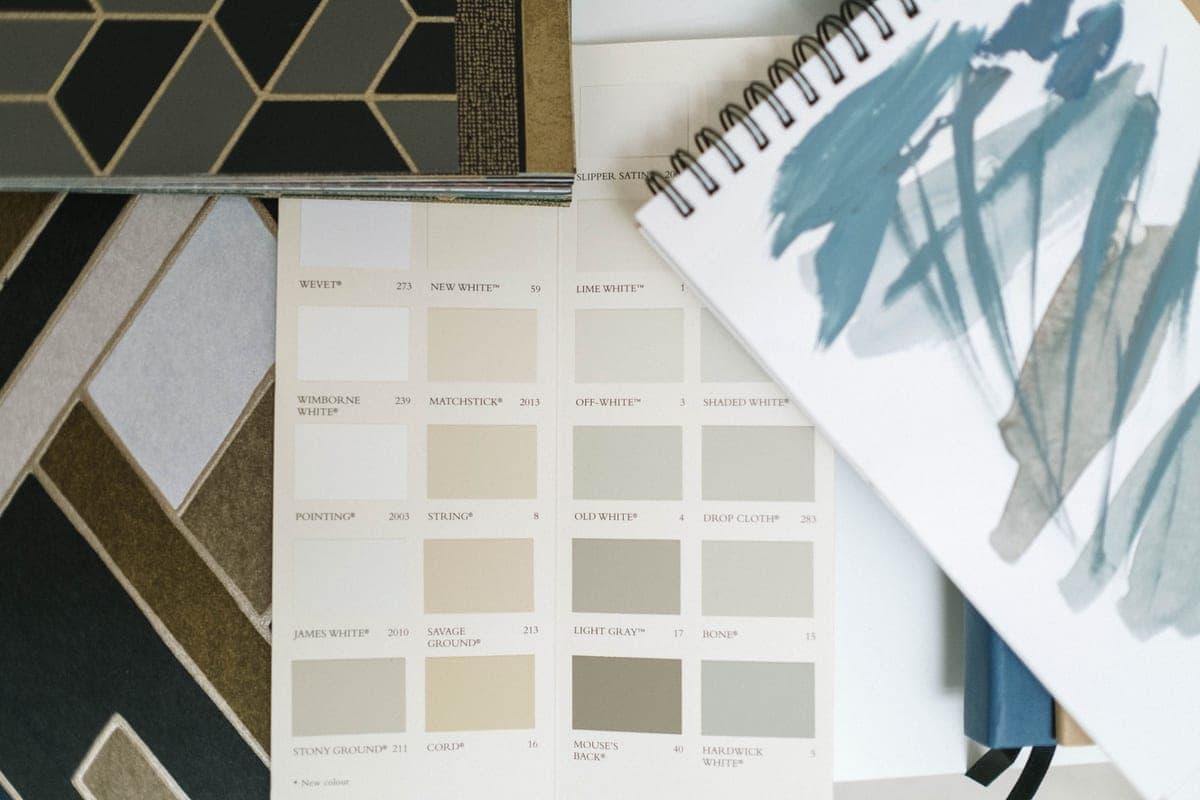
A paint color card, wallpaper swatches and a paint-stroke sketchbook spread out on a table

As an Amazon Associate, I Heart My Home earns from qualifying purchases. It never changes your price or our picks. Learn more.

Almost every “best decorating app” list is written by somebody who downloaded ten apps and never finished a room. I renovate homes for a living, and the apps that survive on a real job are not the ones with the prettiest renders. They are the ones that answer a question you would otherwise answer with a guess: will it fit, what color is that, and can I actually buy it?

So this page is organized by job, not by star rating. Ten apps, each one the best answer to one specific question, with the honest limit on every single one — including the two that are quietly worse than the free thing you already own. Every fact below was read off the vendor’s own site or its live app-store listing during this update. Where a company publishes a plan price, I quote it; where a price moves, I say so rather than print a number that is wrong by Thursday.

First, though, the uncomfortable part. Every app here assumes you already know the dimensions of your room, the real color of your light, and where the outlets are. You almost certainly do not, and that is where projects go wrong — not in the app. So the short gear list below comes first, because it is what makes everything after it true. Then the apps. If you want the no-app version of the same job, our guide to measuring a room for furniture is the twenty-minute method these apps are trying to automate, and our editorial policy explains how picks get made here.

The kit the apps don't replace

How I judged these apps

An app gets recommended here if it answers a real question better than the alternative. That is it. Five tests, applied to every one of them:

  • 1. Does it start from your room, or a stock one? An app that decorates a generic rectangle is a mood board with extra steps. The ones that matter take a photo, a scan or a set of measurements from the room you are actually standing in.
  • 2. Is it to scale? There is a hard line between tools that produce real dimensions and tools that produce a pretty picture. Both are useful; confusing them is how a sectional ends up blocking a doorway. Where an app claims scale accuracy, I say whose claim it is.
  • 3. Can you buy what you placed? A design you cannot source is a daydream. The strongest apps here close that loop — the product in the render is a product with a price and a delivery date.
  • 4. What does the free tier actually give you? This is where these lists usually go soft. “Free” frequently means a watermark, a credit system, a per-render charge, or a catalog a fraction of the size of the one in the screenshots. Where a company publishes those numbers, they are below.
  • 5. Does it survive the hand-off? Decorating is rarely a solo activity. Can you share it with a partner, a landlord or the person carrying the sofa, without making them create an account and learn your tool?

One thing I did not test: how “realistic” the renders look. Render quality sells subscriptions and decides nothing. The render was never the hard part.

Measure first: the apps that turn a room into real numbers

Start here, because every other app on the page is downstream of it. These two produce dimensions rather than impressions.

1. Polycam — best for scanning a room into a usable floor plan

Polycam describes itself as “AI reality capture for professionals” and organizes its app into capture modes — Spatial for interiors, Object for individual items, Floorplan, and Aerial for drone footage. The headline claim for our purposes is that it will “Generate customizable 2D floor plans before leaving the site”, and the App Store description lists “Floor plans — 2D and 3D, ready for AutoCAD, SketchUp, and Revit”. Crucially for anyone without a top-end phone, the description states the scanner “works without LiDAR”, falling back on what the site calls “AI-assisted photogrammetry.” The listing shows version 7.0.7, a 4.6 of 5 rating from 44K ratings, and a free download with in-app purchases.

The honest limit. This is professional software with professional pricing behind the free download. The listed in-app purchases run to $29.99 and $149.99 a year for Basic and $26.99 a month or $199.99 a year for Pro, and the site’s main call to action is a “Start free 7-day Business Trial.” If all you want is the shape of one living room, you are buying a surveying tool to hang a mirror. And a scan is an approximation: treat it as the layout, then confirm the two or three measurements the purchase actually hinges on with a laser or a tape.

2. RoomSketcher — best for a floor plan somebody else can read

RoomSketcher is the one to use when the plan has to leave your phone. It calls itself “Accurate, editable floor plans and polished visuals, powered by AI” and says it is “trusted by 10M+ professionals and homeowners in 170+ countries.” You get 2D and 3D floor plans, 360 Views, an interactive Live 3D walkthrough, and an AI Convert feature that turns an uploaded blueprint or scan into an editable project. The drawing tools include “Live measurements” and “Snap-fitting walls,” and the company is explicit that no CAD experience is needed.

The honest limit. Read the pricing page before you invest an evening in it. The Free plan is real — “Create your first floor plan - free,” “No credit card required” — but it ships with 2 Credits, its 3D Snapshots carry a watermark, Live 3D is not included, and the comparison table prices 2D Floor Plans and 3D Photos at $4 per render on that tier. Pro is listed at $12/month billed annually (“Billed as $144 per year”) or $24/month paid monthly. The other catch is practical: drawing happens in the RoomSketcher App on “a computer or tablet,” so this is not a phone-in-the-room tool the way Polycam is.

Worth knowing if you have read older roundups: magicplan, a fixture on every decorating-app list for a decade, has repositioned. Its site now leads with “Run the whole job from what your crew sees on-site” and features like moisture readings and Xactimate exports. It is restoration-contractor software now. Not a bad app — just no longer aimed at you.

See it in your actual room: the two AR apps worth using

3. The IKEA app and IKEA Kreativ — best free AR, by a distance

IKEA Kreativ is the most generous version of this technology anybody gives away. IKEA pitches it as a way to “Create a home you love with IKEA Kreativ” and to place products in “realistic, scale-accurate spaces” after you “scan your space with the IKEA app.” The genuinely unusual part is that it will digitally remove the furniture that is already there — IKEA’s own support pages say you do not need to clear the room first — so you are looking at your empty room with new pieces in it, not your current room with a sofa floating over the one you own.

The mechanics, from IKEA’s support article: install the app, sign in with an IKEA Family account, open IKEA Kreativ Spaces from your profile, tap the camera, choose a room type, and pick a scan mode. A Full room scan gives the best result but “is only available in the IKEA app on LiDAR-enabled devices, like iPhone Pro or iPad Pro.” Everyone else uses a Photographic Wide-Angle scan, which IKEA says can “still achieve accurate results.” Processing is not instant — you get an email when the room is ready — and you can carry on designing on the web under the same account. Separately, IKEA’s room planners let you “create a detailed technical plan of your space, including windows, outlets and pipes,” and there are dedicated planners for the modular systems (PAX, BESTÅ, BILLY, KALLAX, IVAR, EKET and the sofa ranges) where the configuration genuinely needs one.

The honest limit. It sells IKEA. That is the whole bargain, and it is a fair one as long as you remember it: the room you design here can only be furnished from one catalog. The LiDAR requirement for the good scan quietly excludes most phones. And IKEA’s own wording is careful — the aim is to “provide an accurate representation of how products will fit in your space,” which is a goal, not a guarantee. Measure the doorway yourself. Also note the kitchen planner is “not compatible with mobile devices.”

4. Chairish — best for the piece nobody else will have

This is the app missing from every list I have read, and it is the one I would keep if I could only keep one. Chairish calls itself “the design world’s ultimate destination for home furnishings and art”, says “85% of our inventory is vintage”, and adds “2,000+ expertly edited items” a day from “more than 12,000 small businesses, practicing artists and makers.” Its claim that “Everything you see on Chairish has been screened by our curators” is the real product — it is a filter on secondhand, which is exactly what secondhand marketplaces lack. The free app (4.9 of 5 from 40K ratings, version 7.76.0) includes a “View In Your Space” AR preview, lets you make offers directly to sellers, and Chairish handles shipping once an item sells.

The honest limit. Curation costs money, and vintage furniture is priced like the scarce object it is — this is not where you furnish a first apartment. Inventory is one-of-one, so the chair you are deliberating over on Tuesday is frequently gone on Wednesday, and there is no second one. Because items ship from individual sellers, delivery is slower and less predictable than from a warehouse, and condition is described rather than guaranteed new. Read every photo, and read the listed dimensions twice — old furniture is often smaller than it photographs. Our vintage home decor style guide covers what is worth paying up for and what is not.

Design the whole room: the 3D planners

5. Planner 5D — best for designing on the phone itself

Planner 5D is the most approachable full 3D planner, and the store listing now leads with the AI: “Planner 5D: AI Home Design.” It runs on “Windows, Android and iOS,” carries an “AI Design Generator” and “AI Floorplan recognition”, supports Apple Pencil, and lists a catalog of “over 8,400 furniture and decor items” plus 360° walkthroughs, mood boards and a shopping list. It holds a 4.4 of 5 rating from 42K ratings on version 5.14.2.

The honest limit. The free catalog is a sliver of the advertised one: the listing specifies a “150+ decor item catalog” and a “600+ item catalog of colors, textures and patterns” for free users, against the 8,400 items quoted in the headline. Pricing is also genuinely confusing — the description quotes $9.99/month or $59.99/year while the in-app purchase list on the same page runs from $6.99 for a 30-day catalog pass up to $399.99 for a yearly Decor, Exterior and Landscape PRO tier, with several weekly and monthly options in between. Read the sheet before you tap, and be careful of a weekly subscription on a project that takes you two weekends.

6. Homestyler — best free 3D planner, and the deepest AI stack

Homestyler is browser-first, which on a laptop makes it the most capable thing here that costs nothing to start. The Basic plan is free and includes a cloud 3D floor planner, unlimited 1K rendering, and “100,000+ free 3D models and materials”. Its AI menu is the longest in this roundup: “Interior Design Agent: Chat. Design. Done.”, “Options to Floorplan: Auto-plan your home in clicks,” “Image to Image: Design any space in any style,” “Image to Moodboard,” and image-to-3D and image-to-video tools alongside.

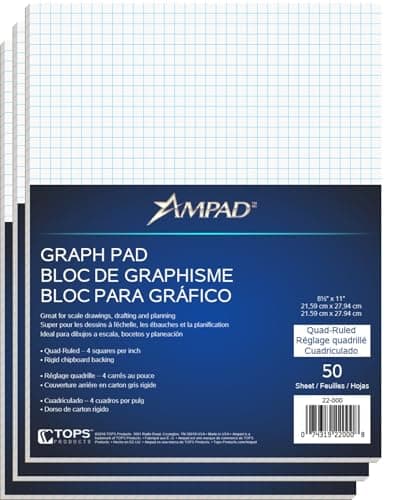
The honest limit. The free tier runs on a coin and credit economy, and the numbers are published: a 2K render costs 9 coins, a 4K render 49 coins, a 540p video 199 coins and a 720p video 399 coins, while the AI tools draw on a separate credit balance — AI Planner 15 credits per plan, AI Stager 10 credits per image, AI Modeler 20 credits per model. Paid tiers start from $6.8/month for Pro+ and $11.8/month for Master+, which include 180 and 380 monthly AI credits respectively. In practice you will design for free and then pay at the moment you want something worth looking at. The other limit is effort: a from-scratch 3D room is an evening’s work, which is why the graph-paper pick above is on this page at all.

Get the color right: the two paint apps that beat the rest

Paint is the cheapest big change in any room and the one people get wrong most often, so it is worth using the tools the paint companies themselves build rather than a generic visualizer.

7. Sherwin-Williams Color Expert — best paint app overall

This is the app that replaced the one everybody still recommends. Sherwin-Williams’ own color pages now point you to the Color Expert app, describing it as “our next-gen app, powered by AI” that lets you “Snap a photo of your space and see our colors on your walls with any Sherwin-Williams® color.” The AI angle is a recommendation engine — “Let color-smart AI read your room to curate hues that complement your space and nearby objects” — and version 2.6.0 added exterior visualization for siding, trim, shutters and doors. The feature that actually closes the loop is sampling: “Order physical color chips and peel & sticks directly from the app, delivered right to your home.” It is free, sits at 4.6 of 5 from 7.4K ratings, and was on version 2.6.5 at the time of writing.

The honest limit. Three of them, and they are real. It is iPhone only and requires iOS 18.0 or later, which rules out Android entirely and older iPhones besides. Sample ordering is “currently only available in the U.S. and Canada (excluding Quebec).” And the company says the quiet part itself: responding to reviewers who flagged color accuracy, the developer notes that “Screen displays and lighting can affect how colors appear in the app.” Which is the whole case for ordering the peel-and-stick sample rather than trusting the render. If you are weighing a saturated, whole-room color, read our color drenching guide before you commit a gallon.

8. Benjamin Moore Color Portfolio — best for matching a color you already have

Where Color Expert is best at proposing, Color Portfolio is best at matching. Its Color Capture feature lets you “take a picture of anything and instantly find equivalent Benjamin Moore paint colors” — which is the answer to a cushion, a tile or a piece of fabric you are trying to build a room around. Alongside it sit a Photo & Video Visualizer for trying colors on your own walls, a Color Catalog organized by family, and what Benjamin Moore calls its “most popular color tool”, the Virtual Fan Deck. Requirements are broader than the Sherwin app: “iPhone® v. 13 or higher, iPad® OS® or higher & Android™ 7.1 or higher.”

The honest limit. A camera match is a starting point, not a result — your phone’s white balance is guessing at the light, and so the match is guessing too. Benjamin Moore effectively concedes this by selling the fix: the ColorReader devices, aimed at “Painting contractors, interior/digital designers, and other pros” for “instant, precise color identification,” pair with the app over Bluetooth, and the one price published on that page is $59.99 for the Color Match Tool (which it notes “does not qualify for free shipping”). For one room, skip the hardware: capture a shortlist in the app, then buy sample pots and paint them on poster board. Our furniture paint roundup covers the same decision for a surface people touch rather than look at.

Collect and decide: the two inspiration apps

9. Pinterest — best for working out what you actually like

Pinterest describes itself as “a visual discovery engine for finding ideas like recipes, home and style inspiration, and more”, built on Pins — “bookmarks that people use to save content they love” — organized into boards that can be split into sections and made private. The two features that matter for decorating are the camera and visual search, which let you find ideas related to your own photos, and product Pins: “You can also search Pinterest for products to buy,” with a click taking you to the retailer’s own site.

The honest limit. Pinterest is an aspiration machine, and aspiration is not a plan. A board of fifty rooms you love tells you nothing until you look at what they share — and when you do, it is almost always daylight, ceiling height and an absence of clutter, none of which is purchasable. The saves are also frequently dead ends: images from closed shops, a European brand with no US shipping, or a room designed for a space twice the size of yours. Use it to find the pattern, then leave.

10. Houzz — best photo library, and the one that finds you a pro

Houzz is the largest archive of finished real rooms in the business. The free app — 4.8 of 5 from 325K ratings on version 26.10.2 — offers to let you “Browse more than 20 million high-resolution photos” of interiors and exteriors, save them, and connect with “over 3 million home improvement professionals” whose reviews and past work you can read first. For anything that crosses from decorating into building — moving a wall, rewiring for sconces, a built-in — that directory is the most useful thing on your phone.

The honest limit. Houzz is a marketplace, and the product being sold on the professional side is you. The platform increasingly leads with Houzz Pro, its paid contractor software with “end-to-end AI tools for 3D renderings, estimates, proposals, invoicing, and project management” — which means that the photographs are, in part, lead generation. Expect contact from pros after an inquiry, and remember that an archive of professionally styled, professionally photographed rooms is a poor yardstick for a Tuesday evening with the laundry out. If you are comparing where to actually buy, our best home decor stores online roundup covers who wins on what.

The AI question: what “AI home design” actually buys you

“Best home decor AI app” is now its own search, so it deserves a straight answer rather than a shrug. Every app above has added AI in the past two years, and the label is covering three genuinely different things:

  • AI as a shortcut around data entry. This is the useful one. RoomSketcher’s AI Convert turns an uploaded blueprint or scan into an editable project; Planner 5D has “AI Floorplan recognition”; Polycam’s whole capture pipeline leans on what it calls AI-assisted photogrammetry; IKEA Kreativ uses it to erase your existing furniture from a scan. In every case, AI is doing a tedious conversion job and the output is checkable. That is real value.
  • AI as a style generator. Homestyler’s “Image to Image: Design any space in any style” and Planner 5D’s AI Design Generator will restyle a room in seconds and the results are genuinely fun. They are also unbuyable. The generator is producing a picture, not a list of products, and the gap between a rendered room and a sourced one is the entire job. Treat these as a mood board that draws itself.
  • AI as a recommendation engine. Sherwin-Williams is the clearest example: “Let color-smart AI read your room to curate hues that complement your space and nearby objects.” This genuinely narrows a 1,000-color wall down to something you can decide between, which is worth a lot. It is still reading a photograph taken under your particular light, which is why the same company will post you a physical sample.

So: use the AI that converts, enjoy the AI that imagines, and verify the AI that recommends. There is no app on this list where the AI removes the need to measure the room or look at a real sample in real light, and any roundup that tells you otherwise is selling something.

What every one of these apps gets wrong

Four failures show up on job sites regardless of which app produced the plan. None of them is a bug — they are the edges of what a screen can do.

  • Scale is believable long before it is accurate. A rendered room reads as correct at a glance, which is precisely the problem: nothing on screen looks wrong when it is three inches out. Three inches is the difference between a door that opens and a dresser you live around. Confirm the handful of measurements the purchase depends on — doorway width, stair turn, wall run, ceiling height — against a tape or a laser, every time.
  • Color on a screen is a different color. Said plainly by Sherwin-Williams in its own review replies, and true of every visualizer: display, camera and room lighting all move it. Order the peel-and-stick or buy the sample pot. It costs less than the paint you would otherwise waste.
  • Nothing models bulk, weight or the delivery path. Apps place objects in a space as though the objects teleported there. Real furniture has to come up a stairwell, around a newel post and through a doorway, and a sofa that fits the room perfectly but not the staircase is the most expensive mistake in decorating. Our measuring guide walks the delivery path step by step, and moving a couch with a dolly covers what to do when it only just fits.
  • Every app has a shelf it wants you to shop. The IKEA tool furnishes from IKEA; Chairish from Chairish; the paint apps from one fan deck. That is fine — it is how they are free — as long as you notice. The cure is to use the app to settle the decision (a 7x9 rug, a 72-inch sofa, a warm mid-tone green) and then shop that decision wherever it is best served.

The order I would actually use them in

Downloading all ten is how people end up with ten apps and an unfurnished room. A single room, start to finish, needs about three:

  1. Collect for a week, then stop. Pinterest or Houzz, one board, and a rule: when you have thirty saves, look for what they have in common and write it down in one sentence. That sentence is your brief, and it is worth more than the board.
  2. Measure the room properly. Laser or tape, same height around the whole room, plus ceiling height, window and door positions, outlet and vent locations, and the full delivery path. Twenty minutes, once.
  3. Put it to scale. Graph paper for one room, RoomSketcher or Homestyler if you need to send it to somebody. Test three layouts, not one.
  4. Decide the big pieces by size before style. Rug size, sofa length, bed position. Tape the footprint out in kraft paper and live with it for two days. Our guide to arranging living room furniture has the clearances that keep a layout walkable.
  5. Color last, in the real room. Shortlist in a paint app, order the peel-and-stick samples, and look at them at 10am, 4pm and 9pm with the lamps on.
  6. Then shop. With a size, a shape and a color in hand, AR is finally useful — for confirming a decision, not for making one. If you are furnishing to a budget, our decorate on a budget guide sets out the order to spend in.

Three apps and a roll of paper, in that order, will beat ten apps and a render every time. The apps are genuinely good now. They are just not the part of this that was ever hard.

Frequently asked questions

What is the best free home decorating app?

For most people, the IKEA app with IKEA Kreativ. It is genuinely free, it starts from a scan of your room, it digitally removes the furniture already in it, and IKEA describes the result as “realistic, scale-accurate spaces.” Two catches: you can only furnish from IKEA, and the best scan mode is “only available in the IKEA app on LiDAR-enabled devices, like iPhone Pro or iPad Pro” — other phones get a Photographic Wide-Angle scan. If you want a free floor planner instead, Homestyler’s Basic plan is free and includes a cloud 3D floor planner, unlimited 1K rendering and “100,000+ free 3D models and materials,” with bigger renders and AI tools running on coins and credits.

Is there an app that shows what furniture looks like in my room?

Yes — several. IKEA Kreativ is the most capable free one: scan your space in the IKEA app, let it erase the furniture that is there, and place IKEA products into the result. Chairish’s free app has a “View In Your Space” preview for vintage pieces, and most big retailer apps do something similar for their own catalog. All of them are convincing about appearance and approximate about scale, so confirm the measurements the purchase hinges on with a tape or a laser. For a sofa or a rug, cutting the real footprint from kraft paper and living with it on the floor for two days still beats every AR preview — you can walk around it.

What is the best home decor AI app in 2026?

It depends which job you mean, because “AI” covers three different things here. To convert something you have into an editable plan: RoomSketcher’s AI Convert, or Planner 5D’s “AI Floorplan recognition.” To generate styled rooms: Homestyler has the deepest stack — an “Interior Design Agent” and “Image to Image: Design any space in any style” — but the output is a picture, not a shopping list. To recommend color: Sherwin-Williams Color Expert, which bills itself as “our next-gen app, powered by AI” and reads your room to suggest hues that suit what is already in it. The conversion and recommendation tools save real time; the generators are a mood board that draws itself.

Are paid home design apps worth it?

Usually only when the result has to leave your hands. A free tier is enough to settle a layout for yourself; you pay at the moment you need it to look finished or need someone else to open it. RoomSketcher’s Free plan gives 2 credits and watermarked 3D snapshots and prices 2D floor plans and 3D photos at $4 per render, with Pro at $12/month “Billed as $144 per year” (or $24 monthly). Homestyler charges coins for bigger renders — 9 for 2K, 49 for 4K — with paid plans from $6.8/month. Planner 5D’s in-app purchases run from $6.99 to $399.99. Ask first whether you need the render or only the decision; a scale drawing on graph paper answers the decision.

Do I need a LiDAR phone to scan a room?

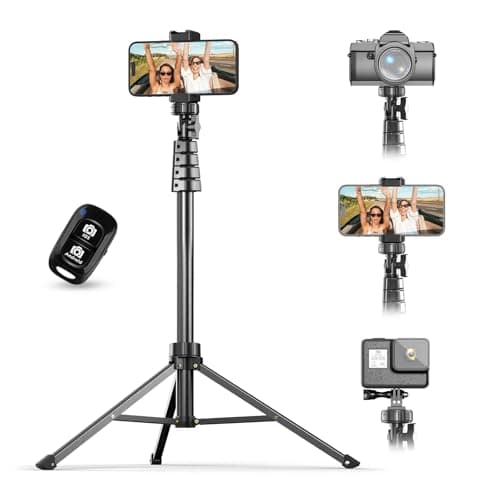
No, but it decides which tool you use. IKEA is explicit that “Whole room scanning is only available in the IKEA app on LiDAR-enabled devices, like iPhone Pro or iPad Pro” — everyone else gets a Photographic Wide-Angle scan, which IKEA says can “still achieve accurate results.” Polycam goes the other way: its listing says the 3D scanner “works without LiDAR,” using photogrammetry from photos and video. Either way a scan approximates the room rather than surveying it — take the critical measurements by hand before ordering. A steady phone helps more than people expect, which is the honest case for a cheap tripod.

Can an app really tell me what paint color to use?

It can narrow the choice — which is most of the value — but it cannot finish the job. Color Expert reads a photo of your room and recommends colors that complement what is in it; Benjamin Moore’s Color Capture photographs an object and returns “equivalent Benjamin Moore paint colors.” Both are excellent at getting you from a thousand options to five. Why neither is the last word: Sherwin-Williams itself tells reviewers that “Screen displays and lighting can affect how colors appear in the app,” and Benjamin Moore sells Bluetooth ColorReader hardware for “instant, precise color identification.” So shortlist in the app, order the chips or peel-and-sticks, and judge them on the wall at 10am, 4pm and 9pm.

Which decorating app do interior designers actually use?

Mostly they do not use consumer decorating apps at all — CAD or SketchUp for drawings, a measuring tool on site, and physical samples, because clients sign off on samples rather than renders. The crossover tools are the ones that export: RoomSketcher is pitched at professionals and homeowners together, and Polycam exports floor plans “ready for AutoCAD, SketchUp, and Revit.” Houzz lives on that side too, selling Houzz Pro with “end-to-end AI tools for 3D renderings, estimates, proposals, invoicing, and project management.” For one room in your own house, none of it is necessary.

Ready to make your space feel like home?

Browse the roundups I'd actually hand a client — honest picks, real trade-offs, and the one to buy first.